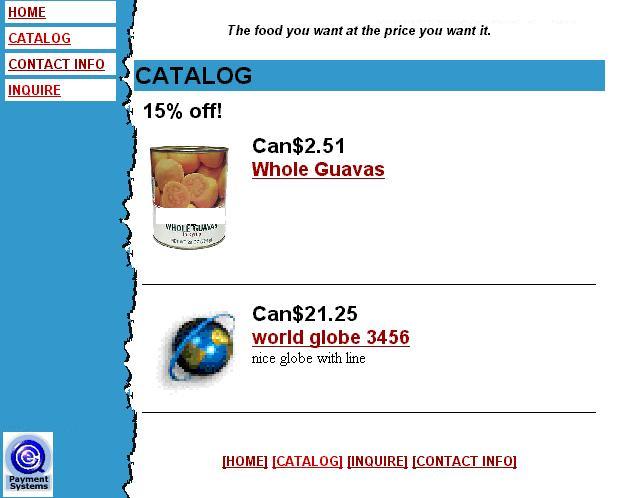
Do your shopping, choose what you want to purchase from the merchant.
Request to purchase
Enter through the registered customer area to write an E-C-Q Cheque.
|
|
Do your shopping, choose what you want to purchase from the merchant. |

|
Check to see if the merchant has the E-C-Q symbol as a payment option. If they do, click on it. An E-C-Q information page will appear. As a registered E-C-Q customer log in and sign your cheque to the merchant. The purchase order and the payment will be delivered to the merchant immediately. and The merchant will ship your products directly. |
Registered E-C-Q merchants have supplied E-C-Q with all the settlement details. As soon as your E-C-Q cheque is signed and submitted, E-C-Q settles with the merchant. |
|
If the merchant doesn't have an E-C-Q payment symbol. After you have filled your shopping cart. Get a description of the product(s) or note the product number. Make note of the purchase details and the final price. THEN GO TO STEP 3 |
Note: A merchant does not have to be registered with E-C-Q in order for you to issue them an E-C-Q cheque. |
|
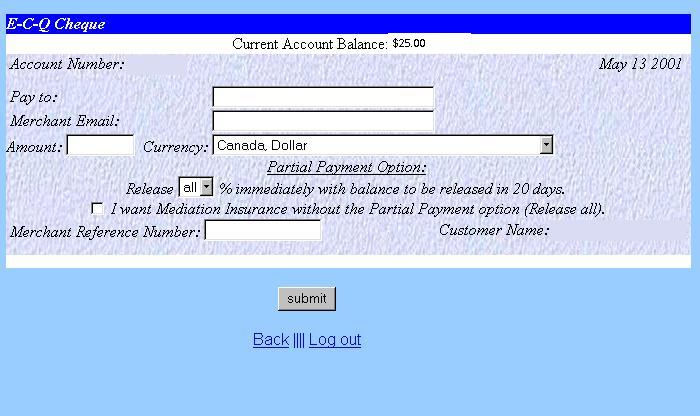
Go to your registered E-C-Q account.Choose your cheque, fill in the details of your purchase and submit. |
When you issue the cheque, E-C-Q follows up with the merchant to make sure they know what to ship and how they will get paid. |
|
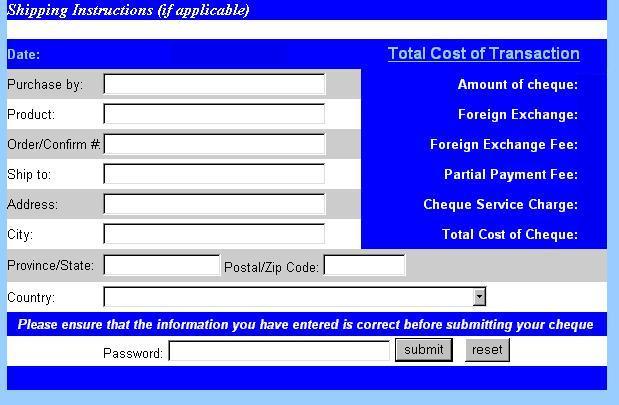
Fill in the shipping information,enter your password and submit. |
|
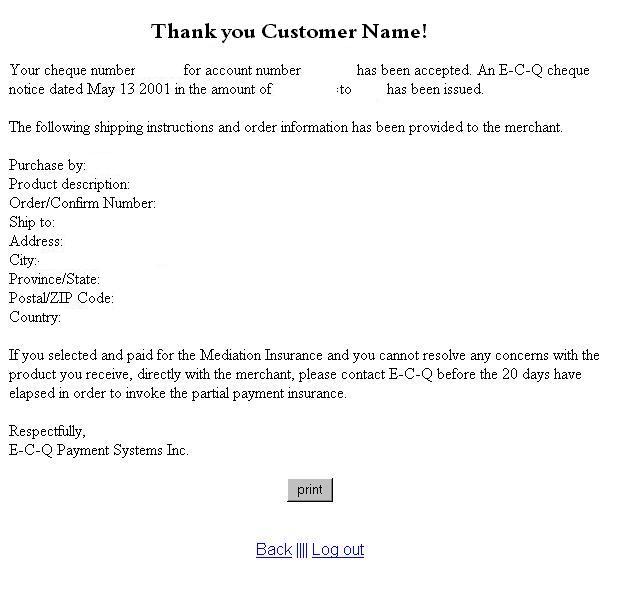
You are provided with a notice confirming the details of your purchase as well as the option to print this notice for your own records. |
E-C-Q confirms your purchase and advises the merchant of your intention to buy. The merchant then has a choice as to how they want to be paid out. If the merchant does not cash the cheque within 30 days E-C-Q will reverse the cheque and return the money to your registered E-C-Q account. |